
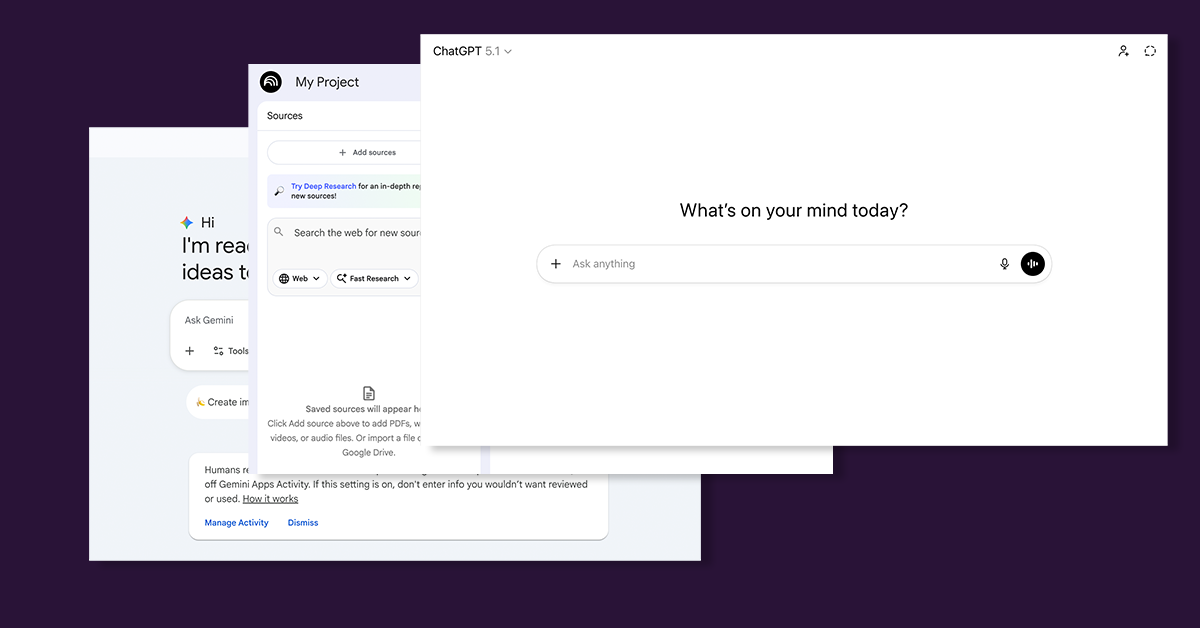
It’s not news that employees now lean on ChatGPT, Copilot, Gemini, and other AI tools to work faster. It’s natural. These tools simplify writing, debugging, research, and day-to-day communication.
But one quick copy/paste into an AI prompt can push sensitive information outside your company without warning, and most security tools never notice.
This isn’t a rare mistake. It’s becoming a daily pattern.
AI has quietly created a new data exposure path
AI tools feel helpful and harmless. You paste a paragraph, a log snippet, or a few lines of code. You upload a draft or a spreadsheet. You ask the AI to clean it up, summarize it, or find an error.
It feels private.
It feels safe.
It feels like any other tool.
But it’s not.
Every paste, every upload, and every “help me rewrite this” happens outside your organization’s control. And because AI tools work inside browser windows and chat interfaces, they bypass the old monitoring paths that security teams rely on.
We’re seeing this across industries:
- Developers paste sensitive code for debugging
- Analysts paste customer data for summarization
- HR shares internal documents for rewriting
- Finance teams upload spreadsheets to clean up formulas
- Support teams paste chats containing personal information
None of this is malicious.
It’s people trying to get their work done.
But AI tools turn everyday shortcuts into exposure risks.
Why this is an insider threat – even when no one means harm
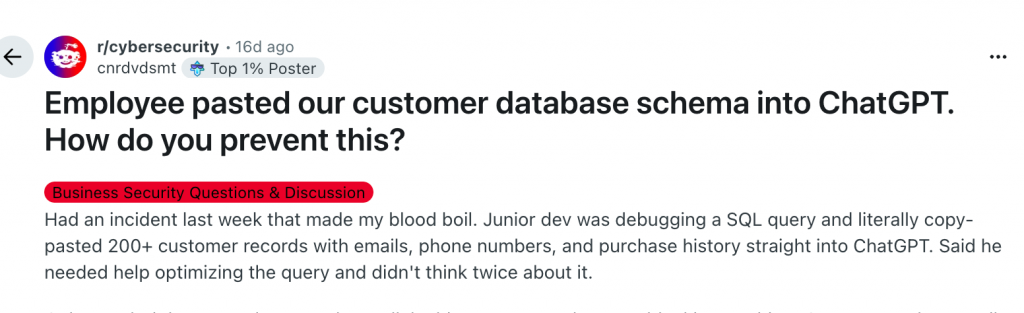
Insider threats aren’t always intentional.
In fact, the biggest risk today comes from well-meaning employees.
When someone copies sensitive information into an AI tool, a few things happen immediately:
- The data leaves your environment
- You lose visibility into where it goes
- You can’t delete it or recall it
- You can’t track who else sees it
- You can’t prove what happened afterward
And because of that, your exposure suddenly becomes:
- Legal
- Regulatory
- Contractual
- Reputational
A single paste can put a team, or the entire company, in a difficult position.
No warning.
No alert.
No chance to undo it.
Why traditional DLP doesn’t catch any of this
Most organizations still depend on classic data loss prevention tools. These tools look at email, file transfers, cloud uploads, network traffic, or removable drives.
Here’s the problem:
AI tools bypass all of that.
Everything happens in a browser text box or a chat window.
There’s no file movement for DLP to examine.
There’s no email, no attachment, no network signature – which is why organizations are increasingly looking at browser-level DLP controls that can inspect and block sensitive data before it leaves the endpoint.
If you want to understand why traditional controls struggle in these scenarios, it helps to look at how browser-based workflows break traditional DLP.
Legacy DLP expects data to travel through predictable paths.
AI usage doesn’t follow those paths anymore.
Which means:
- Nothing gets flagged
- Nothing gets blocked
- Nothing shows up in reports
- Security teams stay blind
This is why so many leaders feel that AI arrived faster than their controls could adapt.
The new controls organizations are starting to adopt
Companies aren’t banning AI tools.
They’re adjusting how they use them — and adding simple guardrails that reduce risk without slowing people down.
Here’s what we’re seeing teams do:
1. Clear AI usage guidelines: short, practical rules about what can and cannot be shared with an AI assistant.
2. Approved AI platforms: using Copilot or other enterprise AI options inside a governed tenant.
3. Reducing excessive access: limiting who can see sensitive data in the first place.
4. Helping employees avoid honest mistakes: training people to recognize when they’re about to paste something risky.
5. Adding protection at the endpoint: placing guardrails on user devices that check text and files before they reach an AI tool.
These aren’t heavy investments. They’re simple updates that close the gap between how employees work today and how companies need to protect data.
What leaders can do now
A few steps help reduce AI exposure quickly:
1. Identify which teams use AI tools the most: most leaders underestimate this. AI is used everywhere – dev, support, HR, finance.
2. Map which workflows involve sensitive data: understand where the highest-risk copy/paste moments are.
3. Decide which AI tools are approved: not all AI platforms offer the same level of control or privacy.
4. Put guardrails on devices: this prevents risky data from leaving the endpoint in the first place.
You don’t have to stop employees from using AI.
You only need to stop sensitive information from going places it shouldn’t.
Conclusion: A small action can trigger a big incident
Copy/paste has always been a quick shortcut.
AI tools turned it into something else — a new insider risk that’s easy to miss.
Employees aren’t trying to cause problems. They’re trying to move faster.
With a few clear rules and modern guardrails, they can do both.
Many organizations now add endpoint-level protection that checks what people share with AI tools before the data leaves the device. This works for both simple prompts and full file uploads – across tools like ChatGPT, Microsoft 365 Copilot, Google Gemini, DeepSeek, Grok, and Claude, or any other LLM employees might try.
These guardrails also create clear audit trails and reports, which help with internal reviews, investigations, and compliance requirements.
If you want to see how teams handle this in real environments, take a look at how Endpoint Protector helps organizations prevent accidental AI-driven data leaks without slowing anyone down.
Download our free ebook on
Data Loss Prevention Best Practices
Helping IT Managers, IT Administrators and data security staff understand the concept and purpose of DLP and how to easily implement it.