
After creating an account for My Endpoint Protector you can protectively manage the use of portable devices on Windows PCs and Macs, confidential data leaving the network as well as the mobile device fleet. To do this, simply download a small client application that will be installed on the PCs, Macs and iOS (optional) and Android mobile devices you want to protect and manage with My Endpoint Protector. This will protect your network against threats like data theft, data loss or data leakage regardless if they are accidental or intentional. Stay compliant, be prepared for audits and offer reports to executives from an user-friendly, easy to setup, and easy to access solution.
Easy to implement, easy to manage Device Control, Content-Aware DLP and Mobile Device Management in the Cloud
1
Protect as many endpoints as you want
2
Manage computers and mobile devices
3
Enforce DLP and MDM policies
4
Monitor all devices and data transfers
5
Endpoints and data secured
Step-by-Step Setup for My Endpoint Protector
1
Create an account for My Endpoint Protector. If you didn’t create one yet, you can do it here.
2
Activate your My Endpoint Protector account by clicking the activation link from the confirmation e-mail you have received.
3
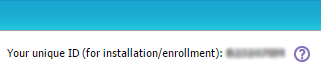
After activation you will receive your unique ID for My Endpoint Protector. You can also view your unique ID into your My Endpoint Protector account in the upper right corner of the Start Page and under My Account > Profile Details.
4
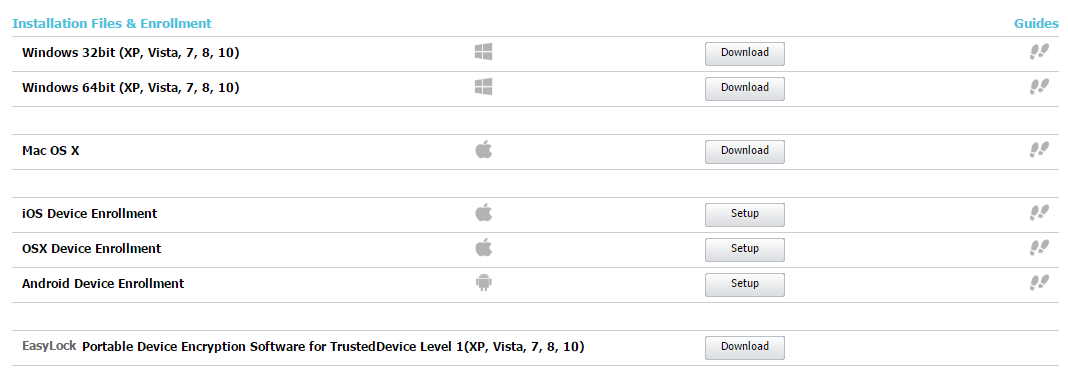
Download the My Endpoint Protector client installation files and enrollment profiles / apps on your Windows and Mac computers and iOS and Android mobile devices. You can download them from within the My Endpoint Protector account. Make sure to introduce the correct unique ID in the client setup.
5
Once installed, each computer and device with the client installed, respectively the enrollment app or profile, will connect and communicate with the My Endpoint Protector cloud servers within seconds.
6
Now you are a few clicks away to create your Device Control, Content Aware Protection and Mobile Device Management policies and secure sensitive data. For more details about installation and setup, please consult the User Manual.


